
Mama said that there’d be days like yesterday; she just didn’t say that yesterday was going to be one of them.
I had a cracked phone screen turn into a bigger issue yesterday. At the end of the day, though, I had to be thankful: without this hobby, a day that was inconvenient was not also costly.
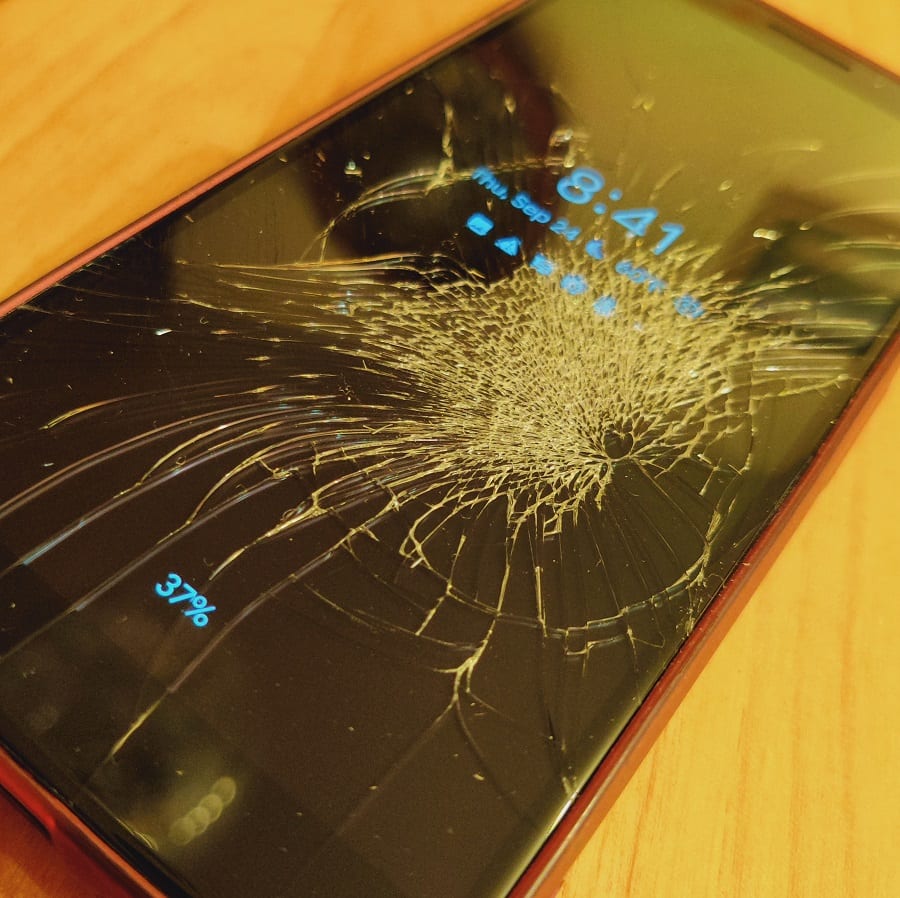
I rely heavily on my cell phone
Although it might go without saying, I have to establish the fact that I heavily rely on my cell phone. Many of us do! They do all of the things: beyond making phone calls and sending SMS messages, they serve as email inboxes, cameras, GPS systems, social media apps, and far more.
As someone who earns a living writing about credit cards, banking products, and loyalty programs, my phone is an essential tool. From Slack to WhatsApp to the various apps for checking award availability or monitoring rewards balances, making and monitoring travel reservations, etc, I use my phone pretty constantly. Some loyalty programs require authenticator apps to log in (like Finnair and Lifemiles), and my phone similarly holds the key to logging into some of my bank accounts.
In many ways, phones have become as integral as the keys to one’s house.
I’ve long been a Google Pixel fanboy, having used Pixel phones since the Pixel 3. I’ve had my current Pixel 9 Pro since the phone launched about 2 years ago. Google recently opened pre-orders for the Pixel 11. I had been thinking that I might upgrade to the latest model for additional space, processing power, better cameras, etc. Those things all matter when you use your phone as much as a work tool as a leisure one.
Now that we’ve established that a phone is really useful, I’m sure you can imagine where this is going next . . .
A phone repair gone wrong
I recently cracked the screen on my cell phone. The phone still functioned, but there were areas of the screen where the touch wasn’t registering properly, and I knew that if I didn’t get it repaired, I risked it turning into a bigger problem.
Since I pay my T-Mobile bill with an Amex Platinum card, I have cell phone protection, with a $50 deductible and up to $800 in coverage to repair or replace the phone. I therefore knew it would only cost me the $50 deductible to get the phone fixed.I had to pick up a family member from my “home” airport of ALB (Albany, NY) yesterday, so I found a Google Authorized Repair Center (uBreakiFix) in the Capital Region where I could bring my Pixel 9 Pro for a screen replacement.
Yesterday afternoon, I dropped my phone at the repair center. As a side note, I don’t know when Google added a repair mode feature to the Android system, but that’s awesome. In the past, I hated having to wipe my phone in order to get it repaired, given the time investment in restoring bank and loyalty program accounts, email, communication apps, social media apps, etc. It always takes me hours to get a phone set back up from scratch.
I put the phone into repair mode, dropped it off, and came back about an hour later.
However, when I came back an hour later, they explained to me that they had tried two different screens on the phone and neither one had worked. They thought that a port where the screen connects to the phone’s motherboard must be bad and said that the motherboard isn’t worth replacing because of the cost. They had put the broken screen back on, but the phone would no longer power on. The technician handed me back what now amounted to a brick (a completely nonfunctional phone), almost nonchalantly. I had walked in with a phone that operated, and I walked out with a phone that won’t even turn on. That wasn’t a possibility I had considered!
I asked the tech, “What next?” He shrugged his shoulders and said, “Well, we marked it in the system that it can’t be repaired.” I waited for whatever the next suggestion was, but none came. Essentially, they shrugged their shoulders and said, “Sorry, nothing we can do,” leaving me with a phone that I couldn’t turn on. At a base level, that’s really inconvenient.
More immediately, I was more than an hour away from home with errands to run that would require GPS and a family member to pick up at the airport (who would be texting me when they landed). Adding to the inconvenience in the moment was the fact that we have a big family event today and tomorrow, and we leave for Europe on Sunday (I’ll certainly be needing my phone for all of the travel things, and I didn’t have time to deal with the issue “later”).
The first moral of this story is to not wait until you really need your phone to try to get it fixed, or perhaps to not try to get it fixed when you really need your phone. But after I got over my annoyance with all of the inconveniences, I was really thankful for the way this hobby removed the financial burden.
How credit cards saved my day
For starters, I was never concerned about the cost of getting the phone fixed in the first place. I have had to use Amex coverage before, so I am familiar with the process and was confident that I could rely on Amex coverage to fix the phone. I took pictures of the damage, and I wasn’t concerned about the fact that the screen replacement was set to cost $320 since I expected it to be covered by credit card insurance.
When uBreakiFix handed me back a completely inoperable phone, I have to admit that I felt a little overwhelmed with the timing and task ahead in replacing the phone. However, I wasn’t at all anxious over the cost, thanks to credit cards. For starters, I knew that the same cell phone insurance that I anticipated would cover the cost of the repair should cover the cost to replace the device. I’m really thankful not to have the weight of my phone turning into a $1,000 paperweight weighing on my mind. I can’t overstate how nice this is.
But the peace of mind in knowing that I should be reimbursed for the inoperable phone was only half the battle: I needed a new phone right away. At the same time, I hate to make that sort of a purchase unprepared. I much prefer to shop around for the right deal and compare options, and I had intended to likely upgrade to the new Pixel 11, but that phone just came out for pre-order this week and isn’t yet available.
Thankfully, there was a Dunkin directly across the street from uBreakiFix. I’ve got a lot of Dunkin credit thanks to the Amex Gold Card and the Paze promotion, but of course all of that credit is locked up in the Dunkin app on my inoperable phone. I couldn’t bring myself to walk in and pay for a drink without the app, so I sat in my car and connected to Dunkin Wi-Fi to look for options.
I needed a phone with a good camera that I could use for all of the travel things for the next few weeks, but I wanted to keep my options open to eventually replace my Pixel 9 Pro with a similar Pixel 10 or 11 after having the chance to file my claim and then shop the deals more thoroughly. In the immediate moment yesterday, I hoped that I could buy a phone that would meet my needs in the moment but which could be returned if and when I find a better fit. Unfortunately, that’s not quite as easy as it sounds. At first, I thought Costco would be perfect for this. The first Costco in the area just opened last week. While Costco is famous for its flexible return policy, computers and cell phones are limited to a 90-day return window. Still, that would give me plenty of time to evaluate a phone and keep my eyes peeled for a better deal. The car I was driving had built-in navigation, so I headed to Costco.
Unfortunately, the new Albany, NY Costco sells AT&T, not T-Mobile. That led me elsewhere to get my laptop on Wi-Fi to research my next best bet. All of the main store options (like T-Mobile stores, Best Buy, and Walmart) have a 14-day return policy for phones. I’ll be in Europe for more than the next 14 days, so if I purchased from a retailer with that short policy, I wouldn’t have enough time to return the phone if I decided I wanted something like the Pixel 11.
That’s when return protection came to mind. I have several credit cards with return protection that offer the ability to return an item that the retailer won’t take back.
Amex Platinum cards limit return protection to $300 per instance, up to $1,000 per year. Three hundred dollars probably wouldn’t get me a phone with the specs and camera that I would like.
The Chase Ritz-Carlton Visa Infinite card offers return protection for 90 days, up to $500 per item and up to $1,000 per year. While $500 isn’t enough to buy the type of flagship device that I tend to purchase, it should be enough to buy a solid mid-tier option that can get me through this upcoming trip.
At that price point, I was looking at the Google Pixel 10a. T-Mobile was selling it for $499.99. With tax, that would exceed the five hundred dollar cap on the Ritz card’s return protection. However, I found that Best Buy was offering the same exact model for $424.99. With tax, the total cost would be under five hundred dollars. The camera wouldn’t be quite as good as on my Pixel 9 Pro, but it would be as good as I’m going to get in that price range.
I know from shopping past phone deals that when you purchase a phone in-store at Best Buy, associates sometimes insist that you have to activate it on your cell phone carrier account. While I obviously intended to put this phone on my T-Mobile account, I am always hesitant to risk a representative messing up my account billing. During the pandemic, T-Mobile offered the chance to add a lot of free lines, so I have an incredible deal on phone service (10 lines with unthrottled unlimited 5G for $128). I didn’t want a rep to accidentally update my plan or otherwise jeopardize my discounts.
However, I also know from shopping past phone deals that if you order online and pay full price, Best Buy doesn’t make you activate the phone on a wireless account when you pick up in-store. I therefore ordered a Pixel 10a on the Best Buy website and paid for it with my Chase Ritz-Carlton Visa Infinite Card. The total came to less than $500, and it was ready for pickup within less than an hour.
Knowing that I can fall back on return protection was huge for making this process easier. Maybe I’ll ultimately decide that the Pixel 10a is good enough for me. Return Protection should make it possible for me to have the next 90 days to evaluate whether or not the phone works for me and then return if I need to purchase something else. If I didn’t have that option, I would have been forced into a longer-term decision in the moment yesterday. Using the right credit card helped me avoid being locked in to a decision on the spot.
Between cell phone damage protection from Amex and return protection from Chase, what could have been a really expensive day and a long-term commitment on the spot only cost me the time to figure out what to do. If I didn’t have any of these cell phone coverages, I might have walked out of UbreakiFix with a $1,000 brick and a pit in my stomach.
Restoring my Google accounts with backup codes
Unfortunately, the next steps were less intuitive than I’d hoped. Once I got the new phone, I had trouble with my password and couldn’t log into my primary Google account. I had to settle for using a secondary account just to get the phone into working order so I could make a call or receive a text message from the family member I was due to pick up, but that meant that I couldn’t immediately restore all of my apps, communications, and contacts (how many phone numbers do you know from memory these days?). I next went to add my work email and had difficulty getting into that account also. In both cases, the new phone defaulted to wanting me to verify myself using the old phone, but that obviously wasn’t an option in my situation.
In the moment, I was able to text my wife and get help with the immediate stuff. When I got home late last night, I figured out a method I hadn’t previously known for restoring Google accounts.
As mentioned above, when I had difficulty logging into Google accounts, the recovery options I faced were mostly tied to my old phone (I clearly hadn’t set up the right combination of 2-factor options!). One of the options given was to restore my account from one of my 8-digit “backup codes”. I didn’t remember ever having set a backup code (no less 8 of them), so I didn’t think I had a backup code. However, I ultimately found that backup codes are a feature you can access on another device that is logged in to your Google account.
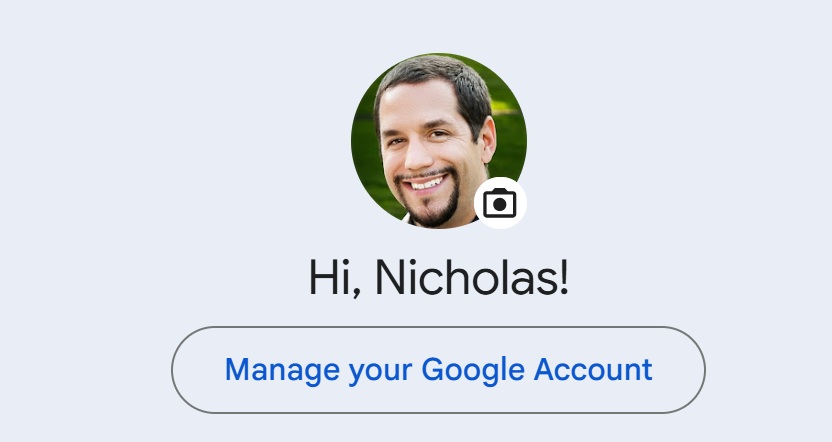
On my laptop, I was able to click my profile in the top right corner of Gmail and click “Manage your Google account”.
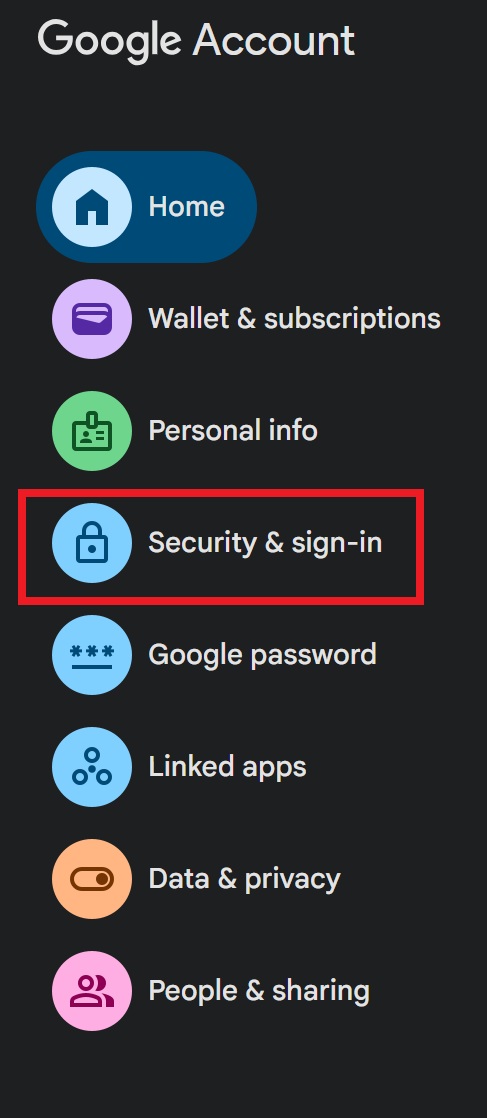
Then, I found “Security & sign-in”.
On the next page, there is a section titled “How to sign in to Google”.
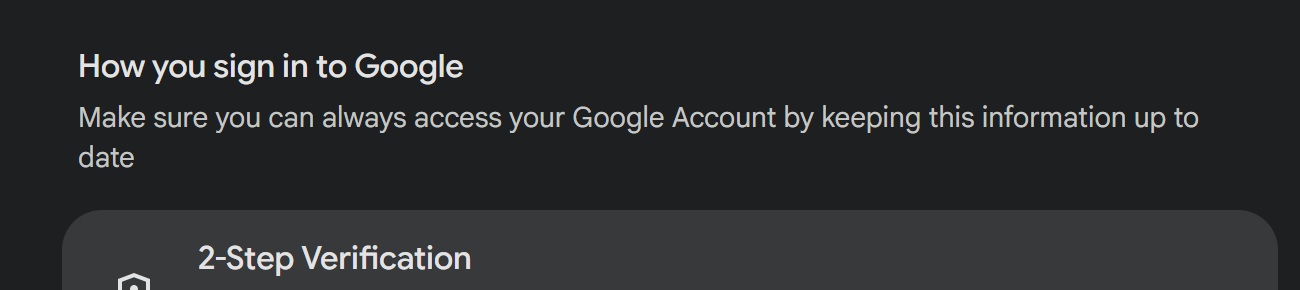
At the bottom of the list of ways was “Backup codes”. Clicking that brought me to a page of 8-digit backup codes for my account.
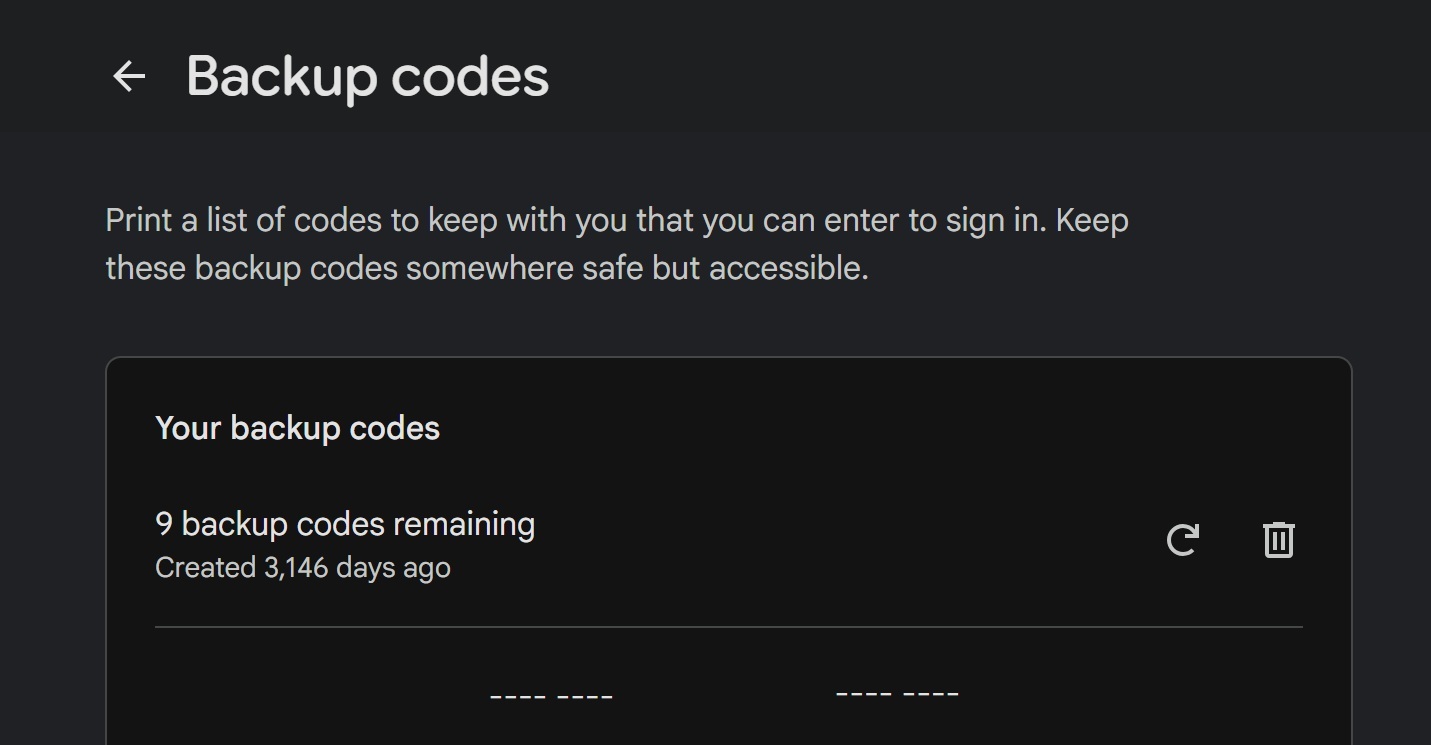
That was the key! I found the backup codes for both accounts I needed, and I was able to log in to both my primary personal and work email accounts, thanks to those codes that I didn’t know existed.
Unfortunately, I couldn’t seem to get my new phone to restore itself from a backup based on that primary Google account (it would only let me restore from the secondary account I’d used when setting up the new phone, which wasn’t tied to my primary phone). In the end, I had to factory reset the new Pixel 10a late last night/early this morning, but then I used a backup code to add my primary Google account to it from the new phone setup. Then, I was able to restore my phone in its entirety from an automatic backup made yesterday morning. Within a couple of hours, my phone had restored my apps, message history, etc. I’m still working through getting logged in to all of the things, but the task seems significantly less daunting now that my phone looks like my phone.
It also helped that my wife and I share a couple of accounts on both of our phones. Once I had access to her phone, I was able to restore some things by using her device. I was glad to have that option!
Bottom line
What I thought was a simple 10-minue errand yesterday turned into something unexpected, as a repair shop left my phone completely inoperable just before I was due to leave for a trip. Thankfully, Amex cell phone protection and Chase Return Protection completely eased the financial burden and mental load since I know that I should get back the cost to replace the phone (or most of it), and I didn’t have to lock in to a replacement on the spot thanks to return protection. I’ll surely report again with my experience filing the associated claims, but I was certainly thankful not to face a big loss and an expensive replacement decision yesterday.

Want to learn more about miles and points? Subscribe to email updates or check out our podcast on your favorite podcast platform.